
Testing with Postman
Testing with Postman
- Download pre-configured Postman collection and environment
Postman collection with test services can be downloaded from the following link: Exchange Rates Postman Collection
-
Import files into Postman
Steps on how to import and configure test environment are described in the following chapter - Testing With Postman chapter. -
Try out requests
Instruction
-
Import the collection file:
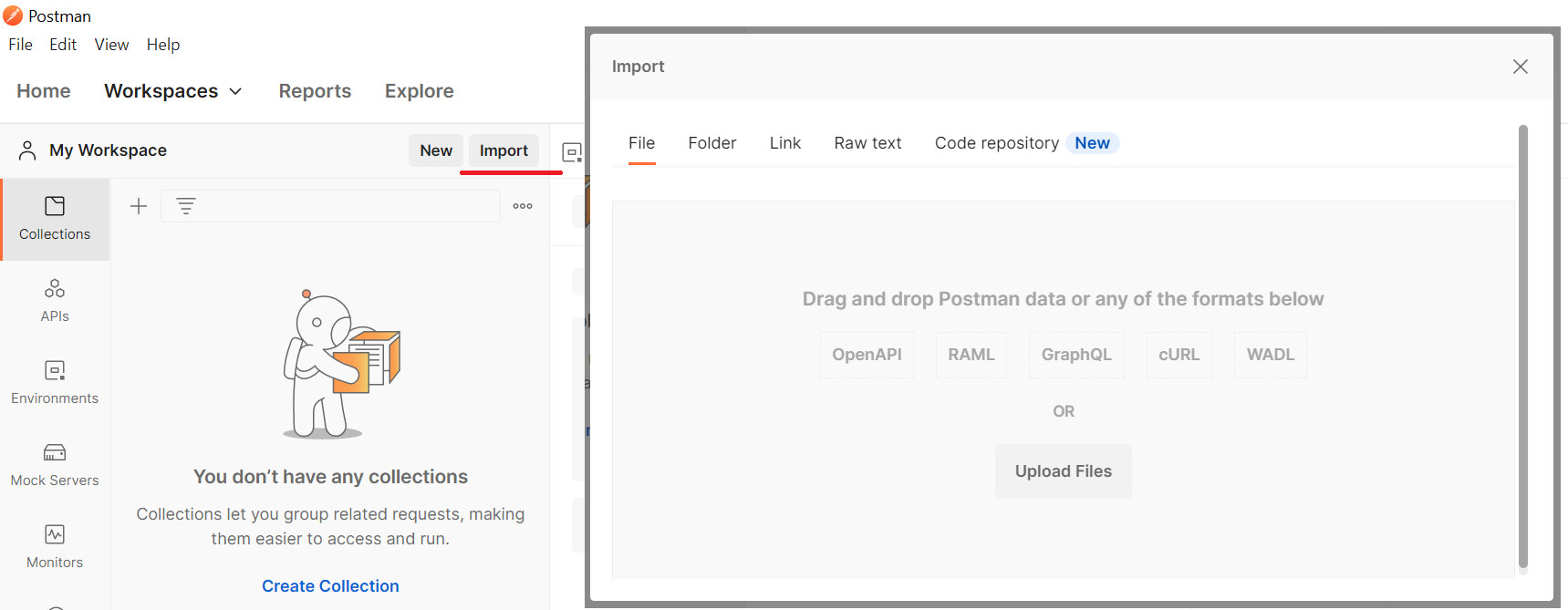
Import collection file
-
Add your apikey value in the Header section:
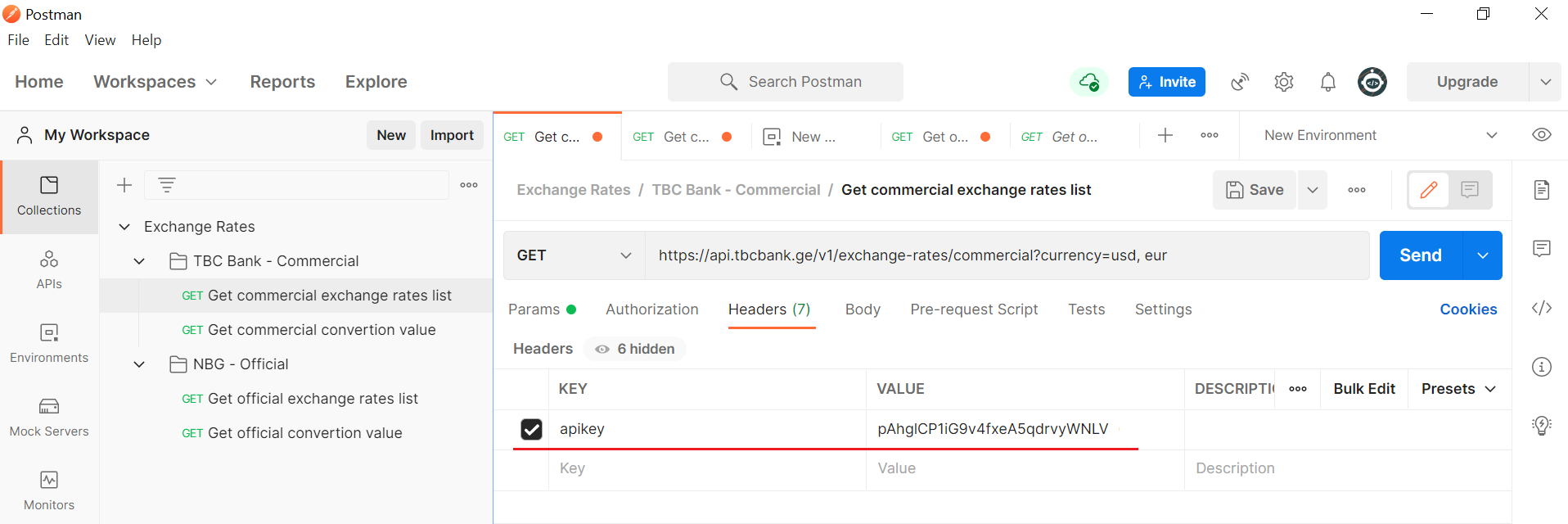
Insert apikey
-
Fill the Params section and click Send to initiate application:
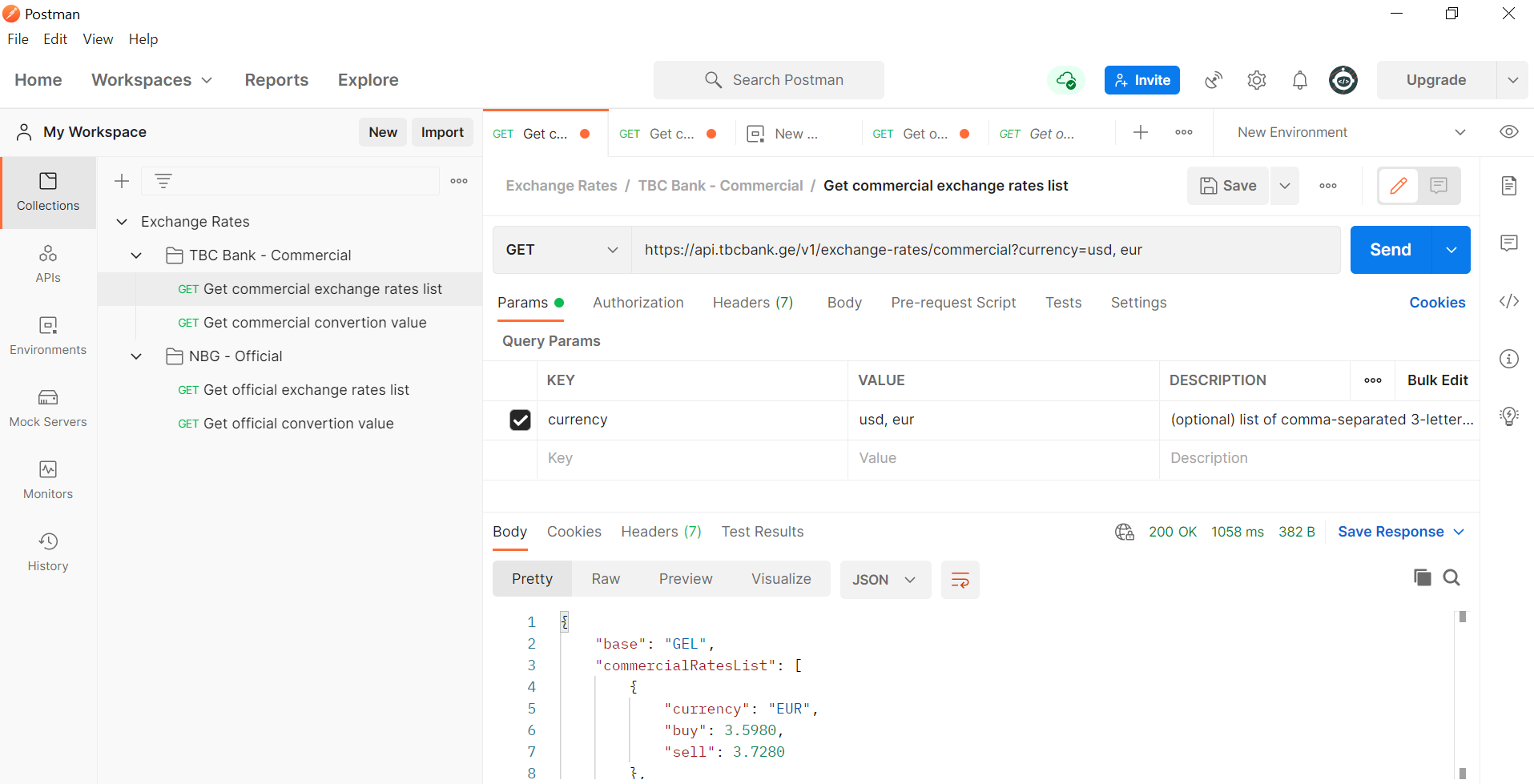
Initiate application
-
If you get status 200, everything works fine and you can Go Live.
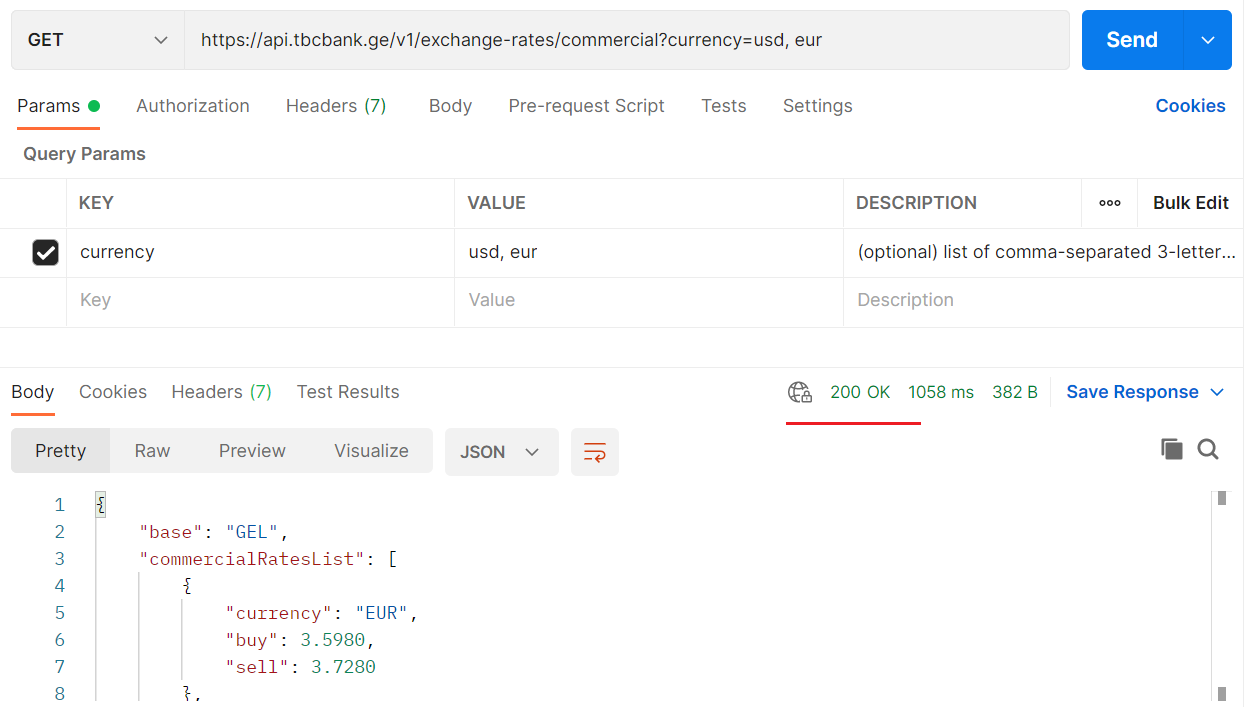
Status 200
Updated 6 months ago
Did this page help you?